
Registration
A search for existing folders before a new one is opened, so one patient has one folder.
Home › Nkwa HMS › Appointments & front desk
Nkwa HMS · Appointments & front desk
Each doctor's timetable, bookings taken by phone or at the desk, reminders by text, and a check-in that puts the patient straight into the queue — so mornings don't start with a crowd at the door.
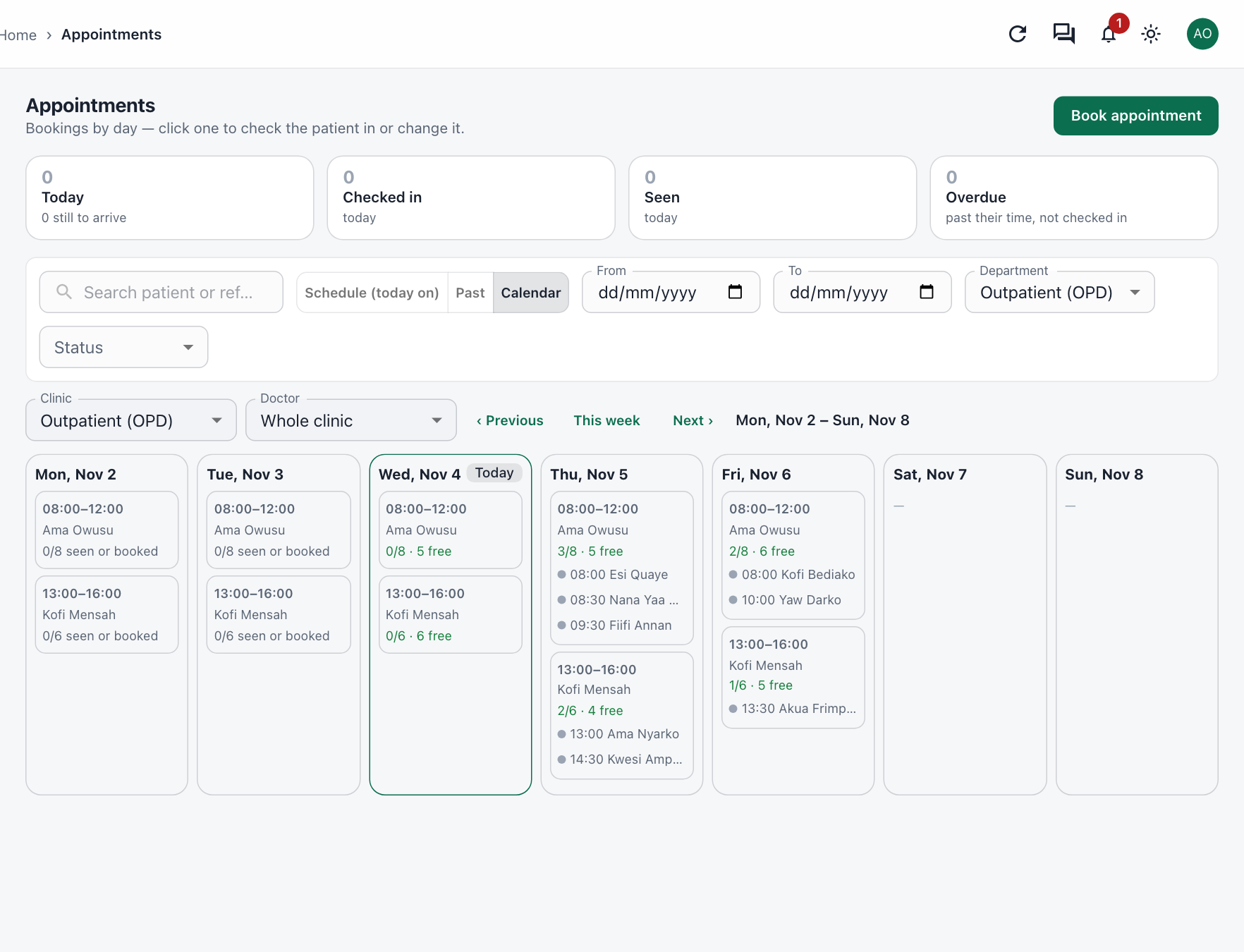
Calendar
Every clinic session in the week, who is booked in it, and how many places are still free — for the whole clinic or one doctor.
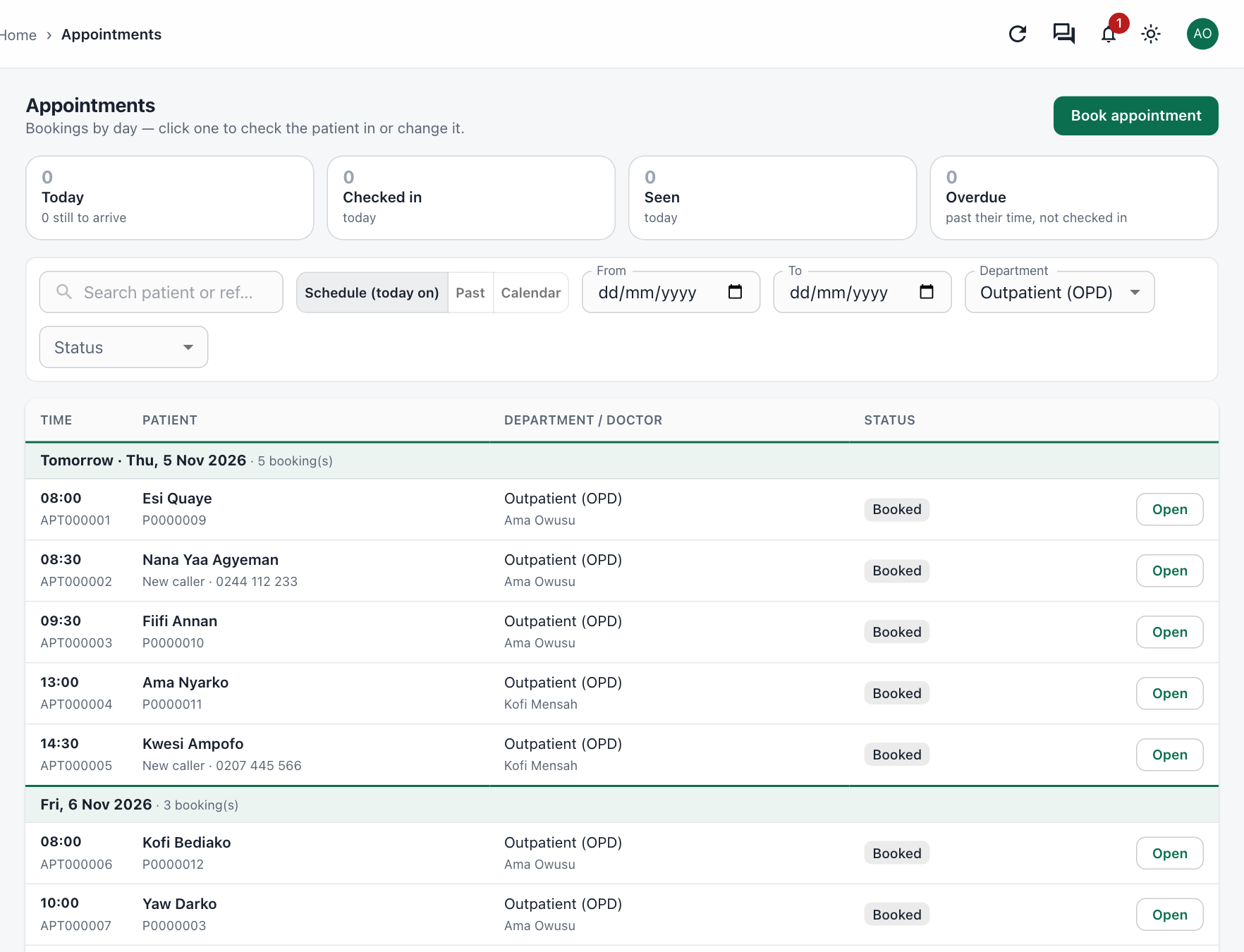
Bookings
Bookings are listed day by day, each with its own number. A new caller can be booked with just a name and phone number — no folder needed until they arrive.
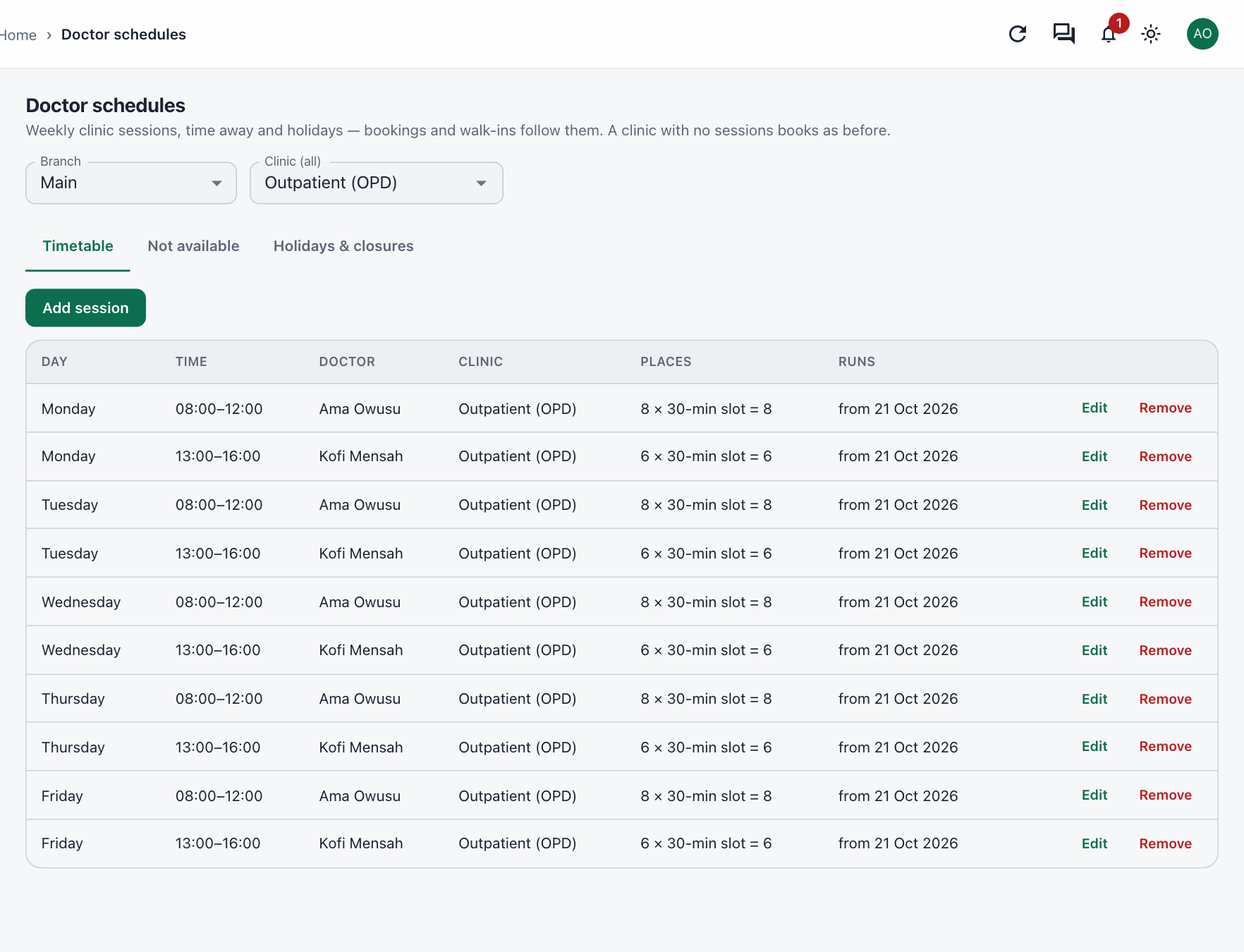
Doctor schedules
Set the weekly sessions for each doctor once — in fixed slots or a number of places — and bookings and walk-ins follow them.
Also at the front desk
A search for existing folders before a new one is opened, so one patient has one folder.
Every patient's triage colour and stage — waiting, in consultation, at the lab or the pharmacy.
A cap on how many patients a clinic sees in a day, applied to bookings and walk-ins alike.
Reminder texts are off until you turn them on, and say what you want them to say.
Cash, NHIS, private scheme or company chosen at check-in, so the bill is right from the start.
Each branch keeps its own clinics, doctors and bookings, sharing one patient folder.
From the booking and the reminder to check-in, the queue and the consulting room.