
Controlled refunds
Refunds for services not given, only by staff allowed to give them — paid out or kept in the patient's wallet. Wallet withdrawals go for approval.
Home › Nkwa HMS › Billing & insurance
Nkwa HMS · Billing & insurance
Every consultation, test, drug and procedure is charged from the patient's folder — to the patient, an insurance scheme or a company. Nothing is given without being billed, and every cedi taken is on a receipt and in a report.
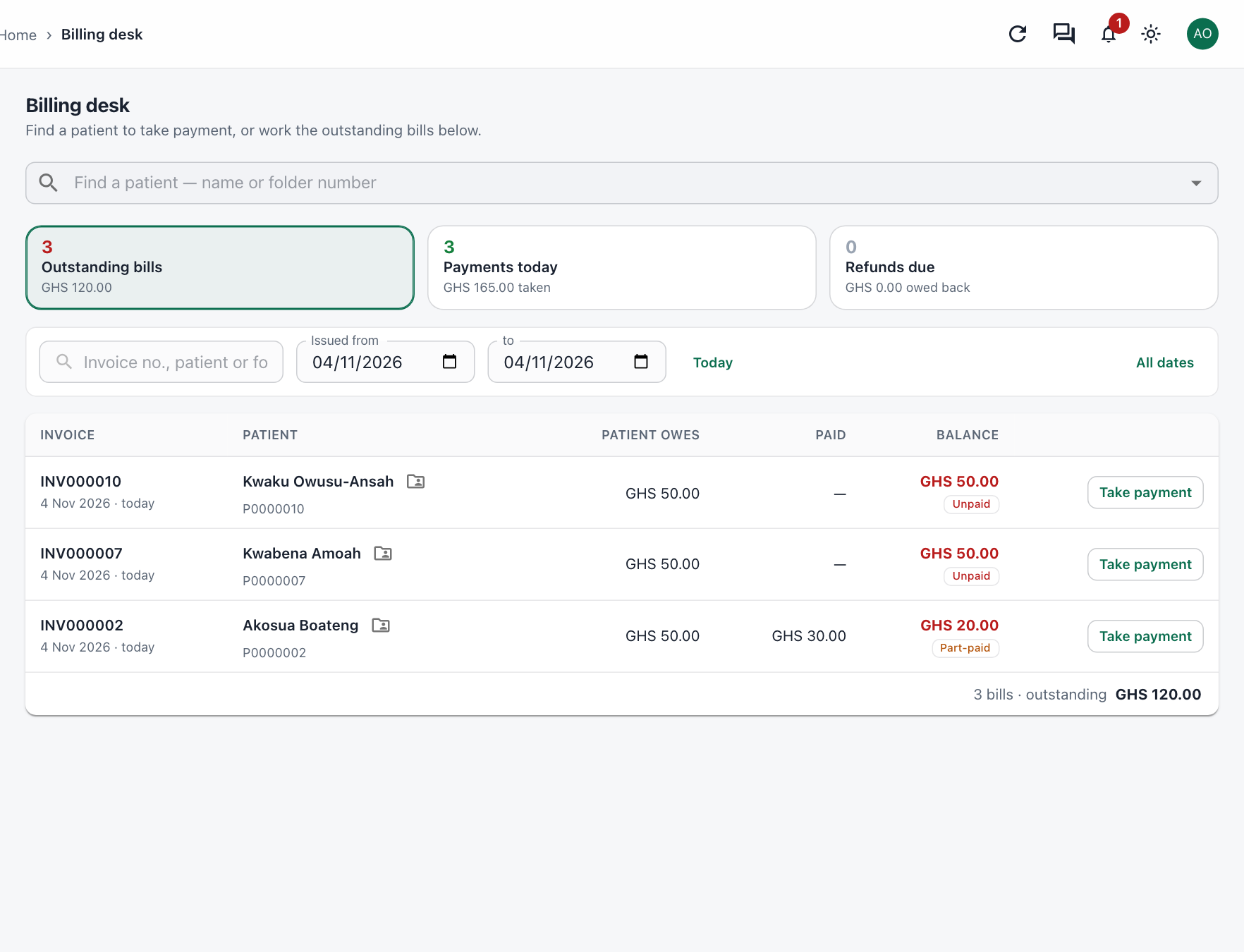
Billing desk
Find the patient by name or folder number and see exactly what they owe. Outstanding bills, today's payments and refunds due are counted at the top of the page.
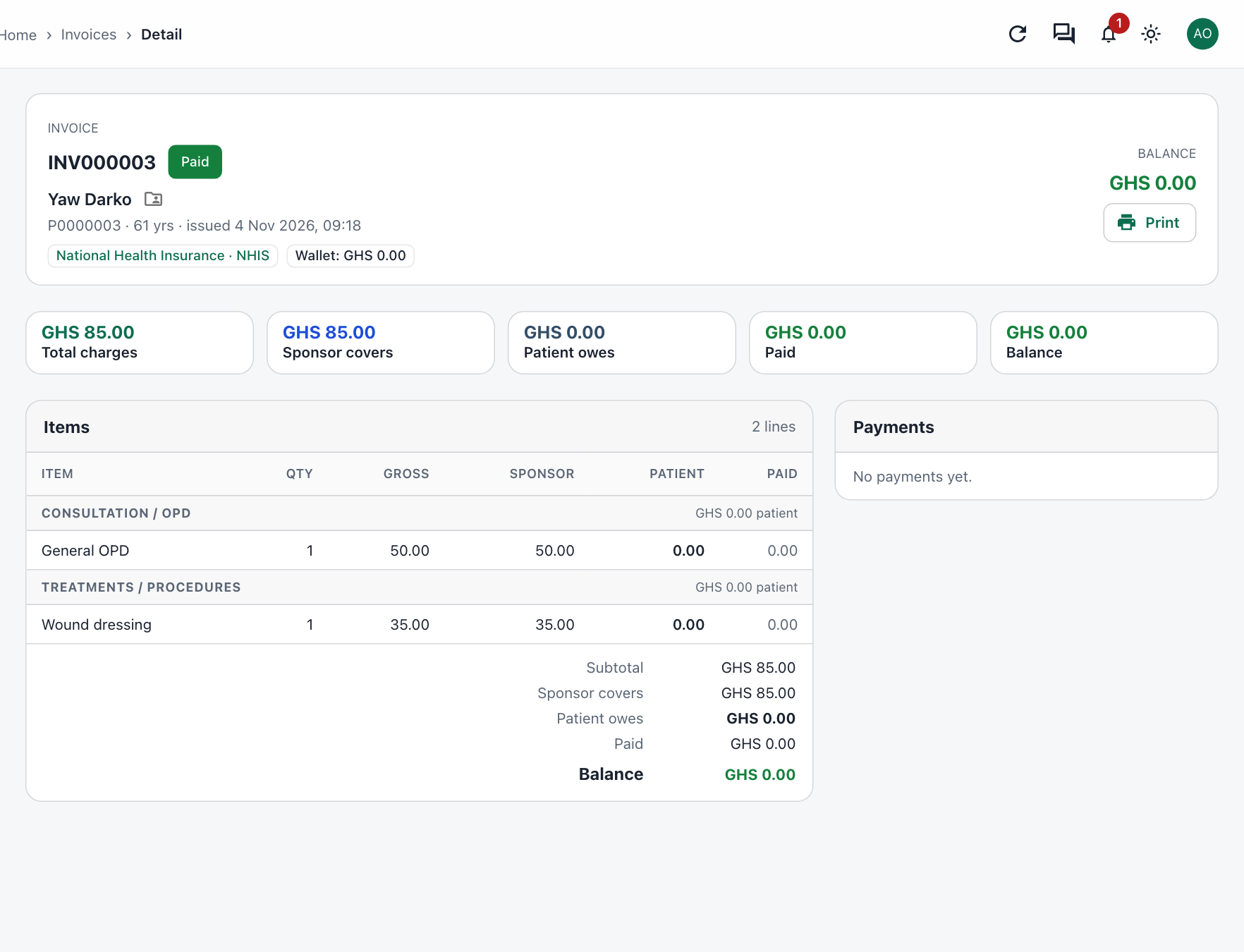
Insurance & sponsors
Attach a patient's scheme at the visit and every line on the bill shows what the sponsor covers and what the patient pays.
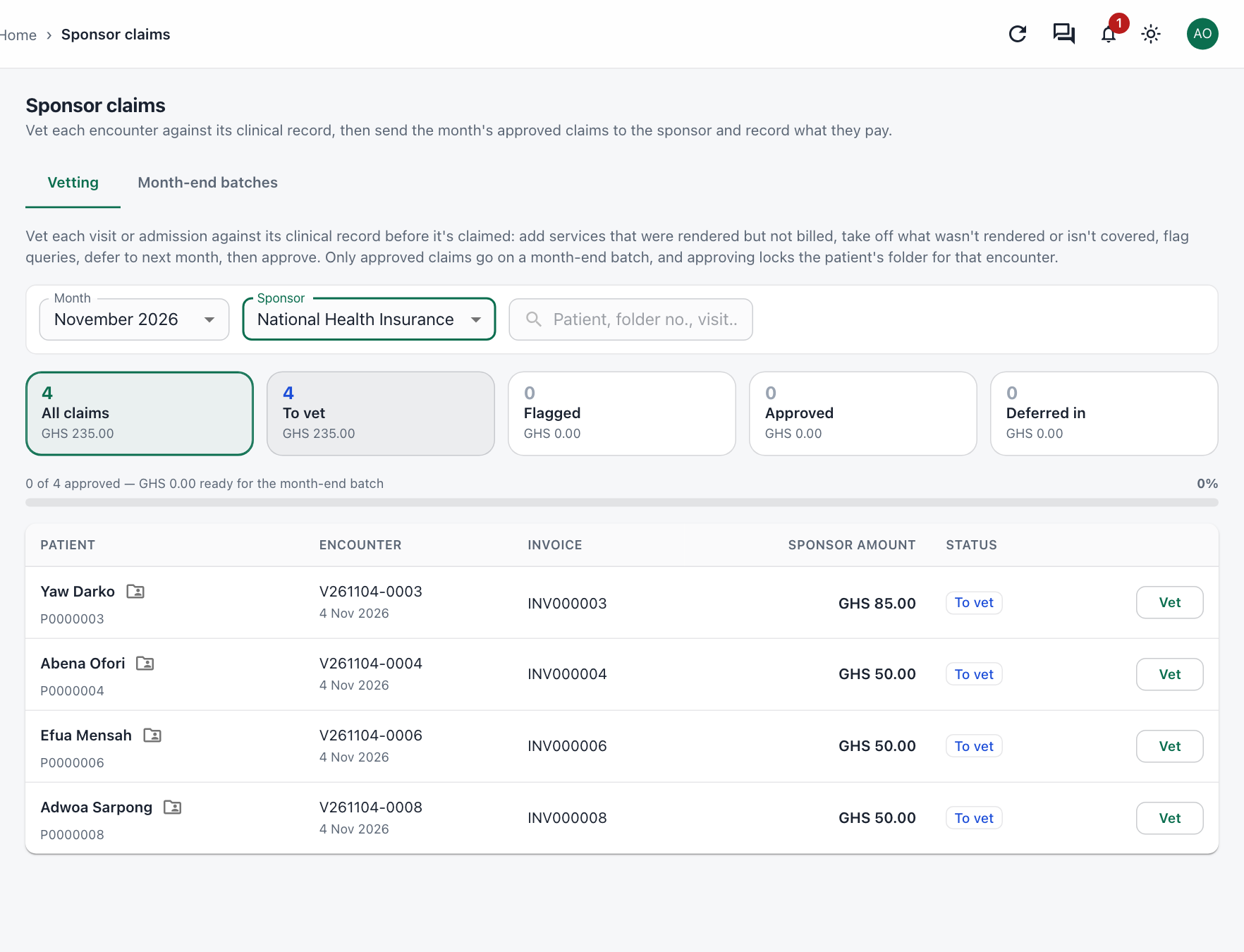
Claims
Before a claim goes out, each visit or admission is checked against its clinical record — so what you claim is what was done, and nothing is missed.
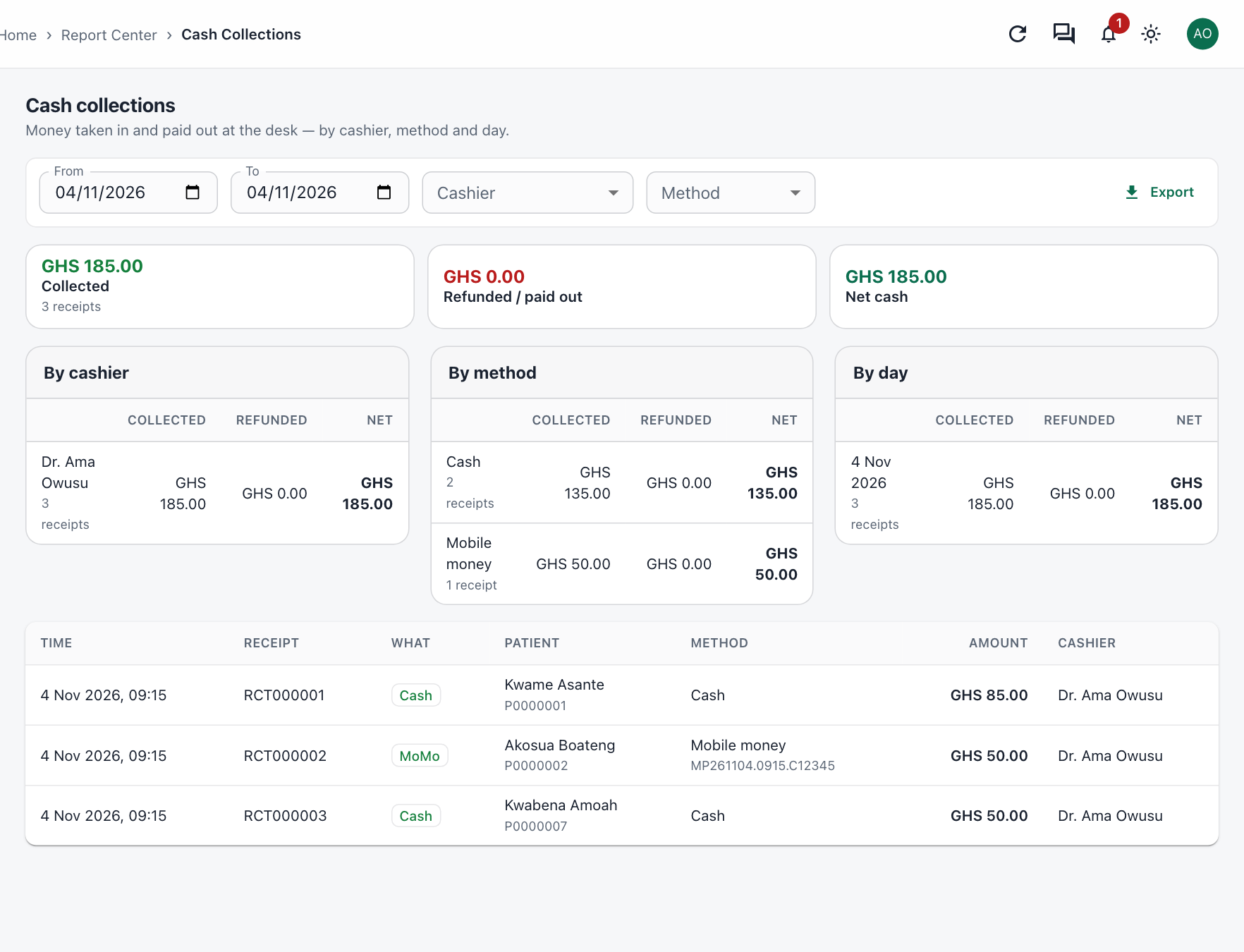
Reports
Cash collections by cashier, by payment method and by day, with every receipt listed — and a revenue report of what was billed each day.
Also included
Refunds for services not given, only by staff allowed to give them — paid out or kept in the patient's wallet. Wallet withdrawals go for approval.
Discounts within each role's limit, larger ones sent for approval; exemption categories for those who qualify.
A patient who still owes is flagged before a new visit starts, with an override for those allowed to give one.
Different prices by insurance type, visit type, branch or age, set by your administrator — no programming needed.
Paste a bank statement of deposits and match each one to the bills it pays.
Who billed, discounted, refunded or cancelled what, and when — kept for audit.
We'll show you a full patient journey, from registration to the receipt and the claim.