
Names never leave
Only clinical details, age and sex are sent. Names, folder and NHIS numbers, phones and addresses are removed first.
Nkwa HMS · Nkwa AI
Nkwa AI works inside the patient folder, claims vetting and reports. It tidies notes, suggests codes, answers questions about a patient and flags claims a scheme would query. Nothing is saved until a person reads it and accepts it, and patients' names and numbers are never sent.
Notes
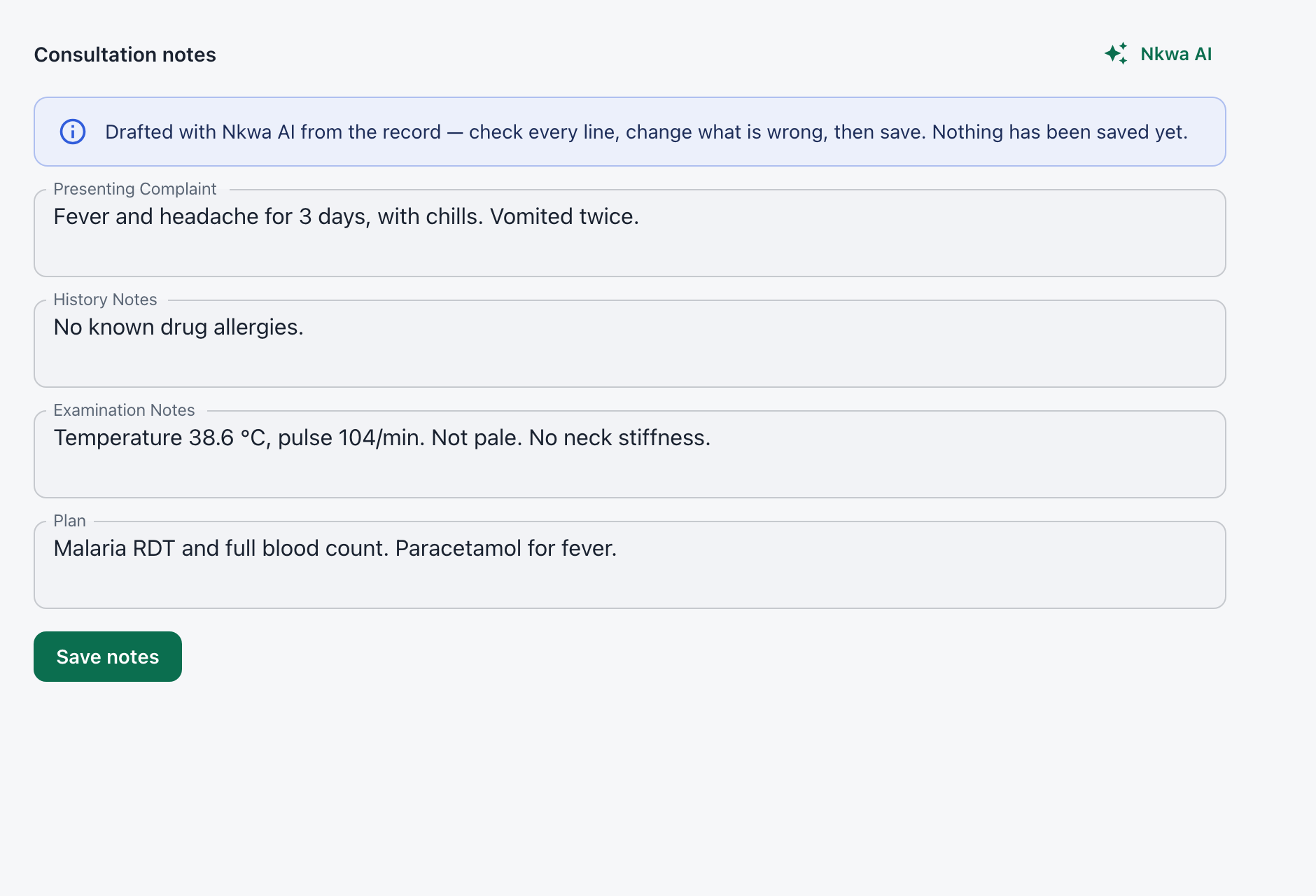
Type the consultation the way you think it. Nkwa AI sorts it into complaint, history, examination and plan — adding nothing that wasn't written.
Ask about a patient
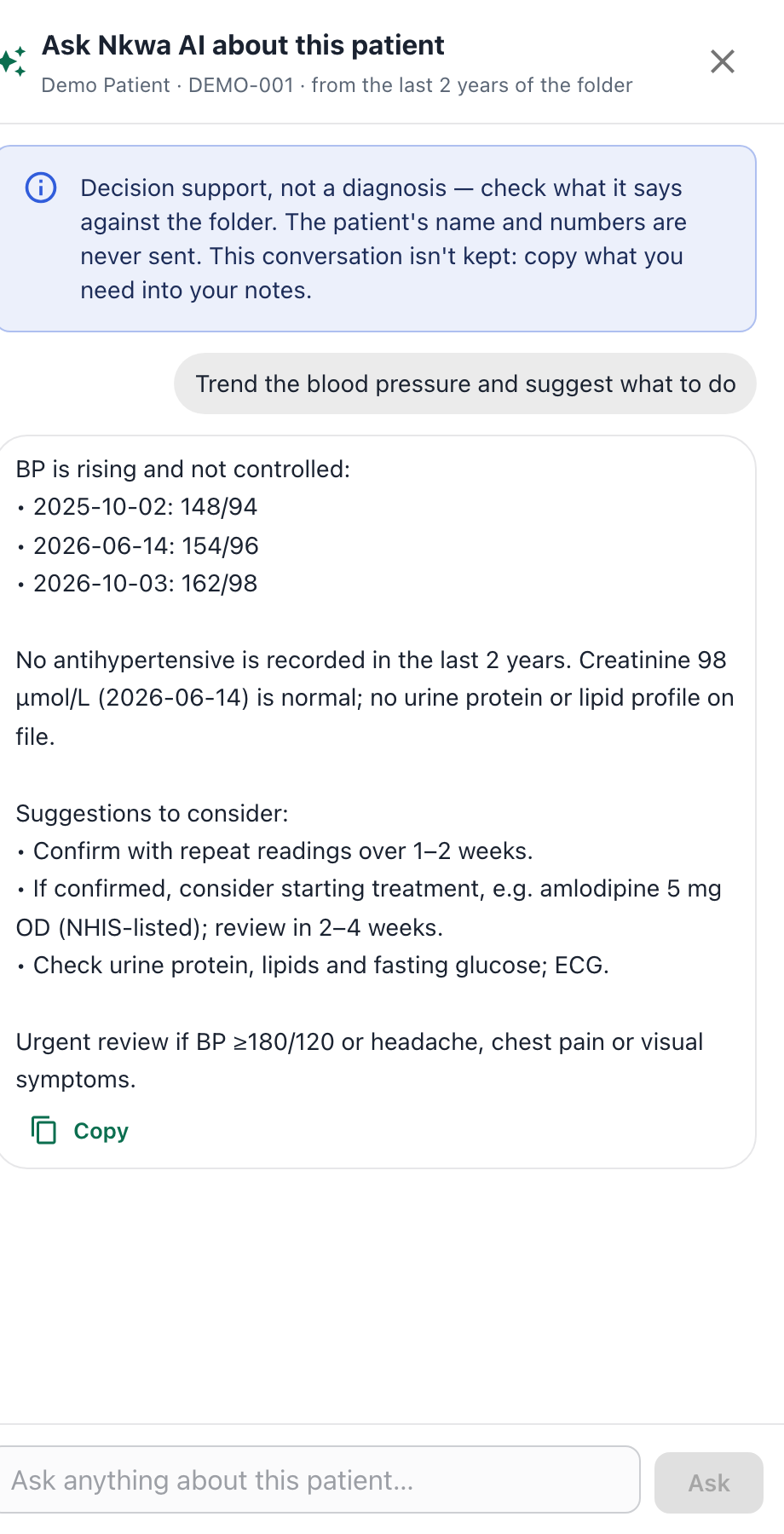
"Trend the blood pressure and suggest what to do." "Analyse the recent labs and medicines." Nkwa AI reads the last two years of the folder, plus allergies and chronic conditions, and answers with the figures and dates it used.
Diagnosis codes
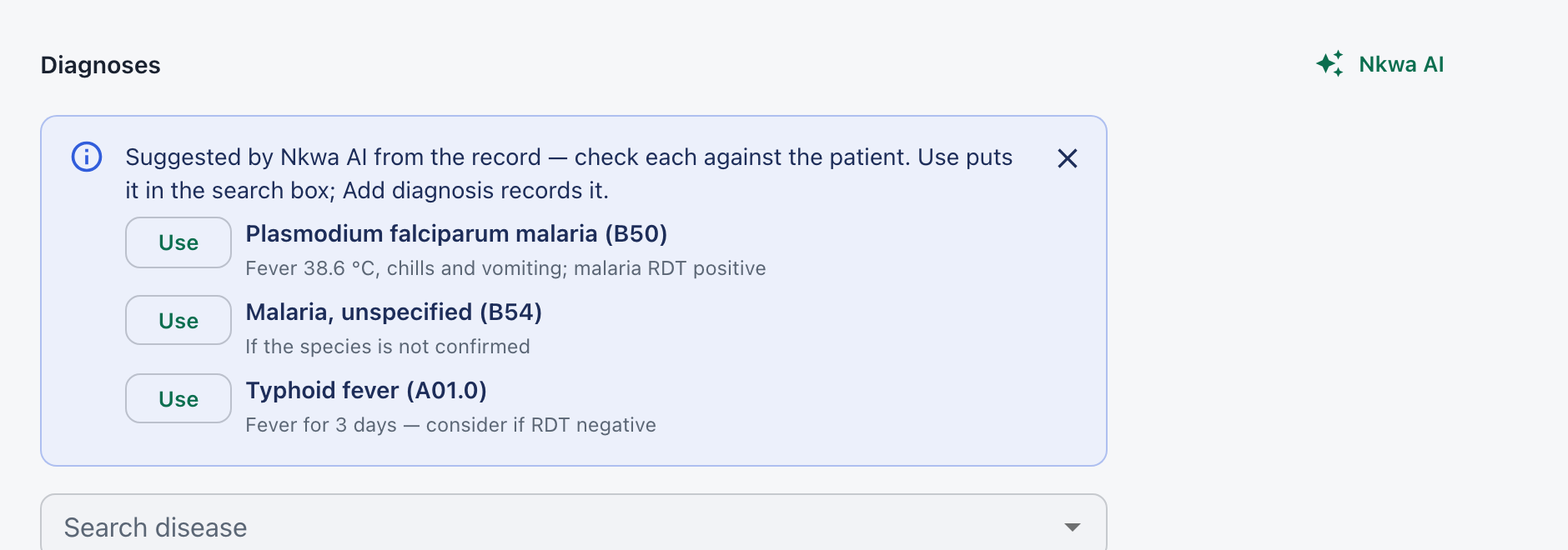
Nkwa AI suggests diagnoses from the complaint, examination and results — only ones in your facility's disease list, each with the finding behind it.
Claims
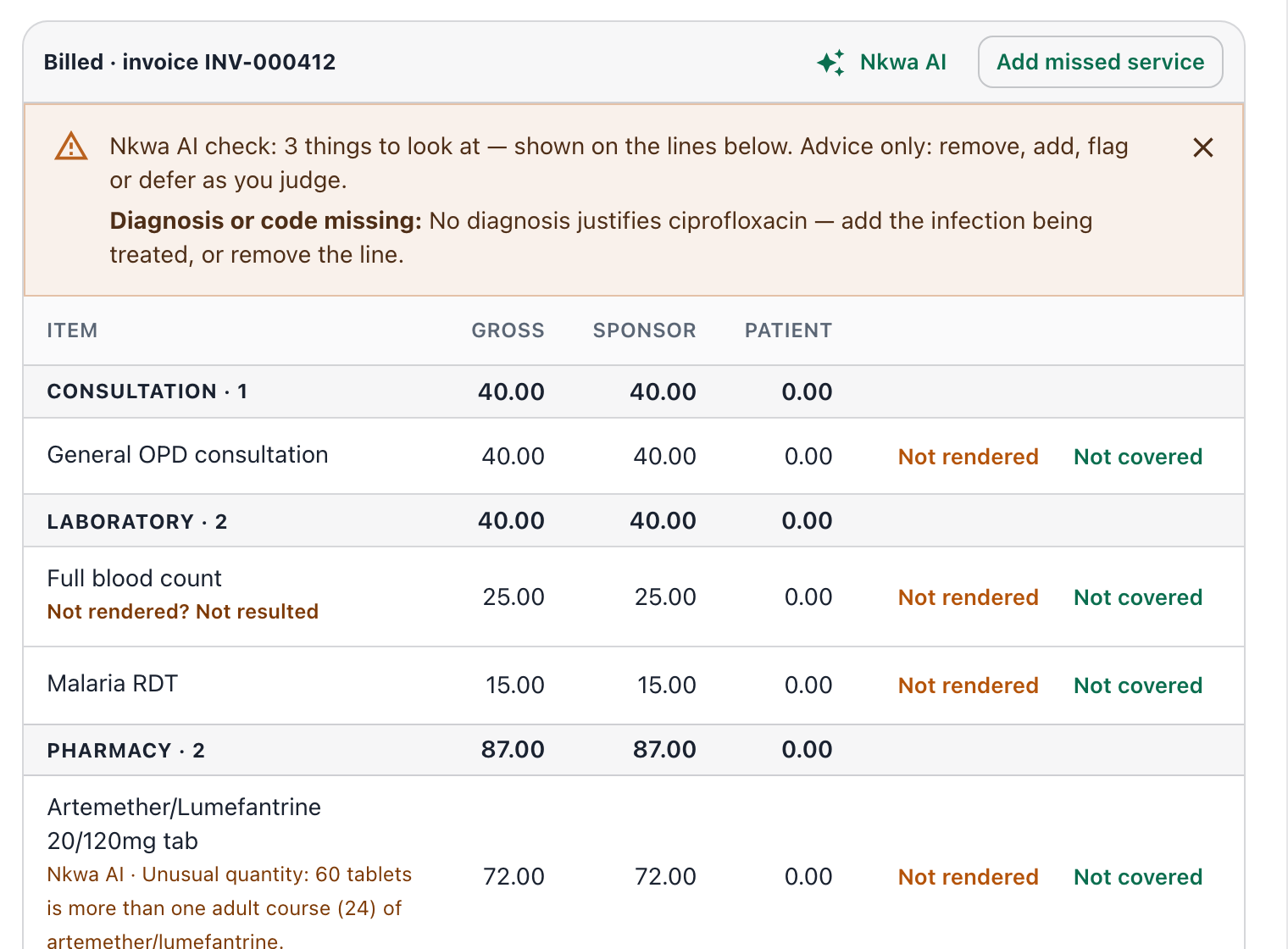
Before a claim goes out, Nkwa AI points out drugs no diagnosis justifies, missing codes, unusual quantities and double charges — beside the lines they concern.
Reports
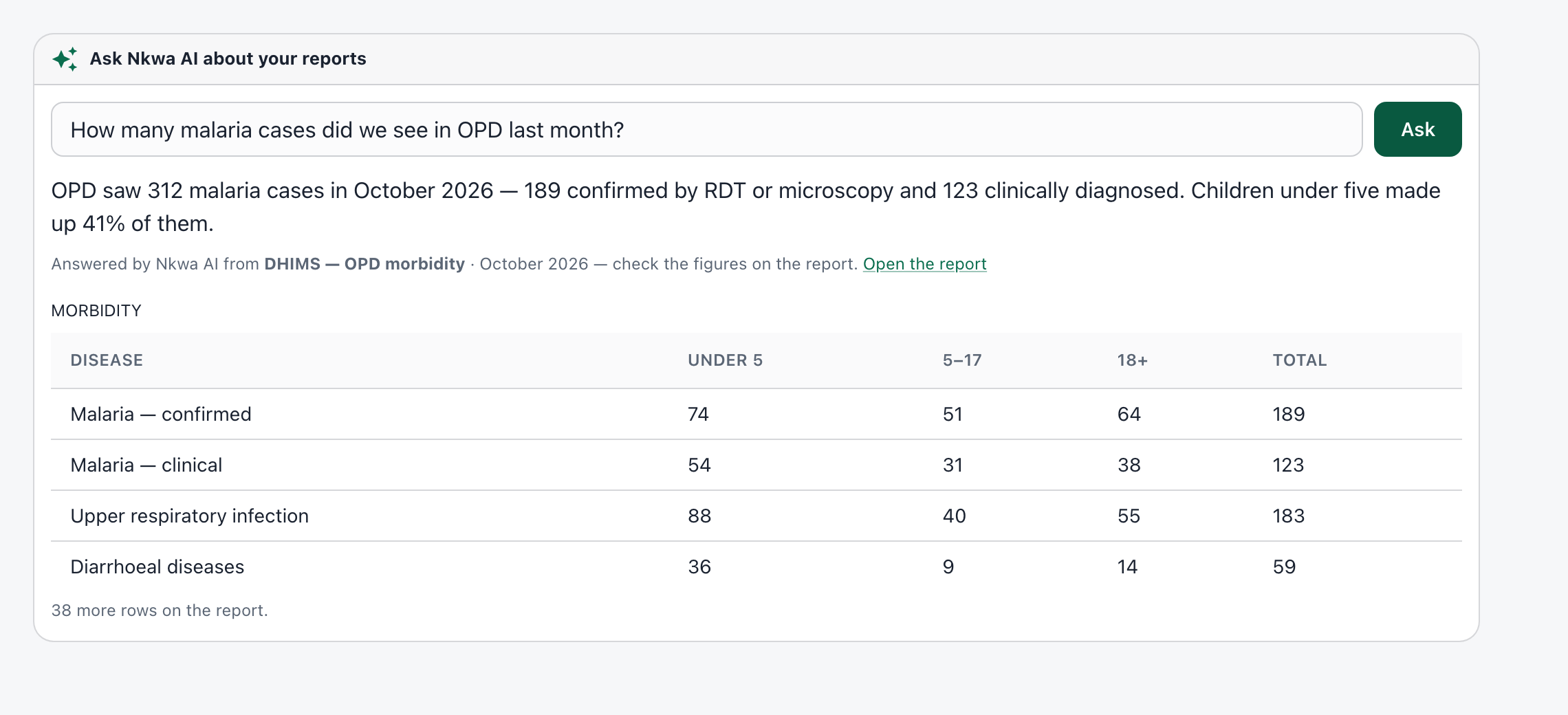
"How many malaria cases did we see in OPD last month?" Nkwa AI picks the right report, runs it with your own access, and answers from the figures — with the table and a link to the full report.
Built for a hospital
Only clinical details, age and sex are sent. Names, folder and NHIS numbers, phones and addresses are removed first.
Every draft and suggestion is marked as AI and waits for a person to check and accept it.
Through Aureon's service, or your own account with Anthropic (Claude), OpenAI, Google Gemini, Mistral or DeepSeek.
Off until you turn it on. Each helper has its own switch, and only the roles you choose can use it.
Requests by helper and by user each month, with a monthly limit. What was asked is never stored.
Nkwa AI needs the internet; the rest of Nkwa HMS doesn't. Switched off or offline, everything works as before.
Nkwa AI uses third-party AI models (such as Anthropic's Claude, or the provider your facility chooses) to draft and suggest. It never decides or saves anything on its own.
We'll show it on a patient folder, a claim and your reports — with test patients.